

Proper office ergonomics is the scientific discipline concerned with understanding the interactions among humans and other elements of a system to optimize human well-being and overall system performance. The actual standards rely on anthropometric data, biomechanical limits, and practical workstation adjustments rather than rigid, one-size-fits-all measurements. Ask Dr. Grant provides evidence-based guidance to help you align your workspace with these scientific principles.
The Anthropometric Baseline
Scientific ergonomics begins with the human body, not the furniture. Anthropometry is the statistical study of human body dimensions, and it forms the foundation of all workstation standards. Because human bodies vary significantly in height, limb length, and torso proportions, no single desk height or chair dimension can fit everyone perfectly. The goal is to create a setup that accommodates the specific measurements of the individual user. according to Ergonomics A bridge
When evaluating a workspace, the primary anthropometric landmarks are the elbow height, the popliteal height (the distance from the seat to the back of the knee), and the eye level. These measurements dictate how a chair, desk, and monitor should be positioned. By using these baseline dimensions, you can establish a starting point for your setup before making fine-tuned adjustments based on comfort and task requirements.
Biomechanical Neutrality and Joint Loading
Biomechanical neutrality is the state in which the body's joints and muscles are positioned to minimize stress and fatigue during prolonged tasks. In an office setting, this means keeping the wrists straight, the shoulders relaxed, and the neck in a neutral position. When joints are held in extreme flexion or extension for long periods, the risk of musculoskeletal strain increases significantly.
For example, typing with the wrists bent upward or outward places unnecessary load on the carpal tunnel and forearm muscles. The scientific standard is to keep the forearms parallel to the floor and the wrists in a straight line with the hands. This neutral alignment allows the muscles to rest between keystrokes, reducing the cumulative load that leads to discomfort over an eight-hour workday.
Visual Ergonomics and Monitor Placement
Visual ergonomics focuses on reducing eye strain and neck fatigue by optimizing the distance and angle of the display. The standard guideline for monitor placement is to position the top of the screen at or slightly below eye level. This allows the user to look slightly downward, which keeps the neck in a neutral position and reduces the load on the cervical spine.
The distance between the eyes and the screen is also a critical factor. A common standard is to place the monitor about an arm's length away, which is typically between 20 and 40 inches. This distance helps maintain a comfortable focal length for the eyes, reducing the need for constant accommodation and minimizing the risk of digital eye strain. Adjusting the monitor height and distance is a simple but highly effective way to improve overall workspace comfort.
Dynamic Posture and Movement
Dynamic posture is the practice of frequently changing body positions to prevent the static loading of muscles and joints. No single posture, whether sitting or standing, is ideal for an entire workday. The scientific consensus is that movement is the most effective way to reduce the risk of musculoskeletal disorders associated with prolonged sitting.
Alternating between sitting and standing, or simply shifting your weight and changing your arm position every 20 to 30 minutes, helps maintain blood flow and reduces muscle fatigue. A sit-stand desk is a useful tool for this purpose, but it is not a requirement. The key is to create a workspace that makes changing position easy and practical, rather than forcing you to remain in a single static pose for hours.
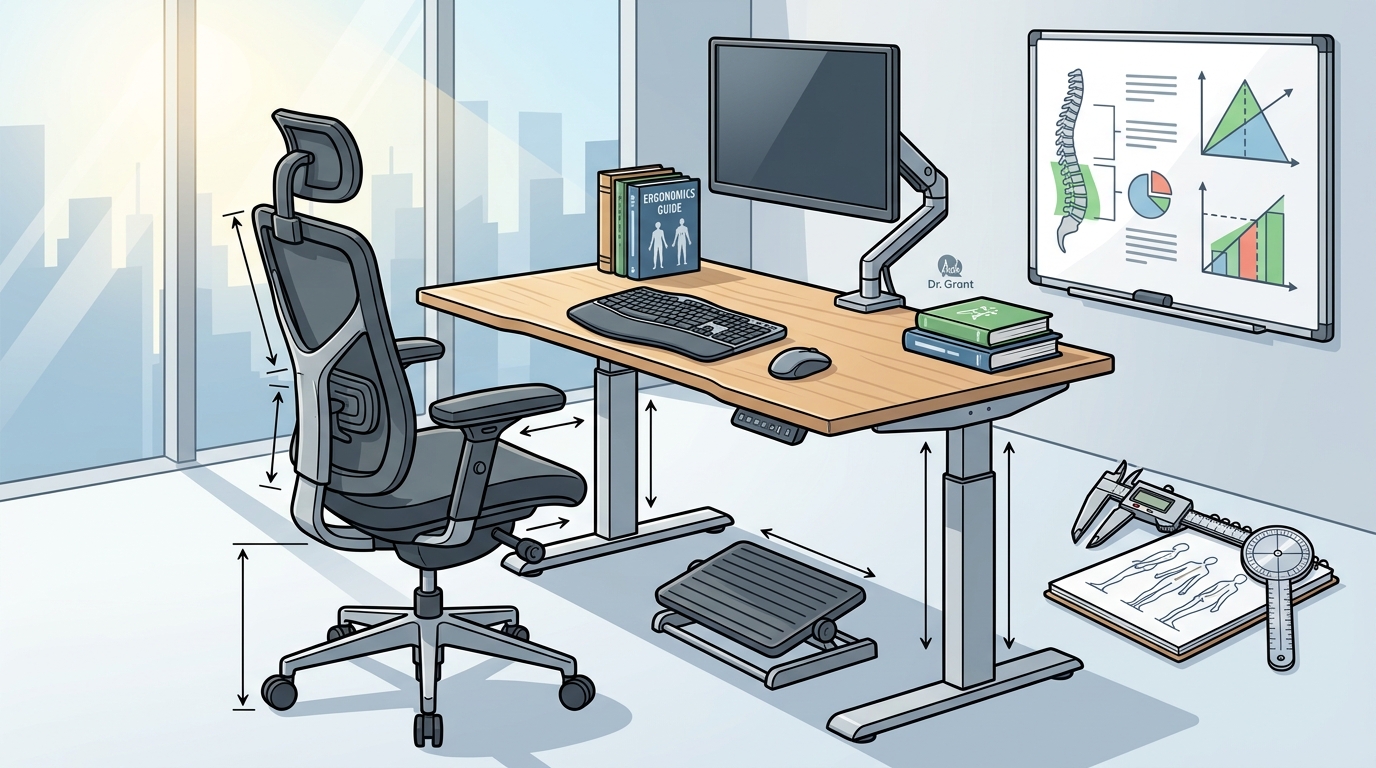
Chair Adjustments and Seat Geometry
Chair ergonomics is governed by the geometry of the seat and the adjustability of its components. The seat height should allow the feet to rest flat on the floor with the knees bent at approximately 90 degrees. The seat depth should be shallow enough to prevent the edge of the seat from pressing against the back of the knees, which can restrict blood flow and cause discomfort.
Armrests are another critical component of chair ergonomics. They should be adjusted to support the forearms while keeping the shoulders relaxed and the elbows close to the body. If the armrests are too high, they can force the shoulders into elevation, leading to neck and shoulder strain. Properly adjusted armrests help maintain a neutral upper body posture during typing and mouse use.
Key Takeaways
- Anthropometric data is the foundation of ergonomic standards, meaning your setup must be tailored to your specific body dimensions.
- Biomechanical neutrality requires keeping wrists straight, shoulders relaxed, and the neck in a neutral position to minimize joint loading.
- Monitor placement should have the top of the screen at or slightly below eye level, with the display about an arm's length away.
- Dynamic posture involves frequently changing positions to prevent the static loading of muscles and joints.
- Seat height and depth must be adjusted to allow flat feet and prevent pressure behind the knees.
- Armrests should support the forearms without forcing the shoulders into elevation.
Frequently Asked Questions
What is the ideal desk height for sitting?
The ideal desk height is one that allows your elbows to be at approximately 90 degrees with your forearms parallel to the floor. This height varies by individual, so it is best to adjust the desk to your elbow height rather than following a fixed number.
How far should a monitor be from my eyes?
A monitor should be placed about an arm's length away, which is typically between 20 and 40 inches. This distance helps reduce eye strain and keeps the neck in a neutral position.
Is standing all day better than sitting?
No, standing all day is not better than sitting. The scientific standard is to alternate between sitting and standing, or to change your posture frequently, to prevent static loading of the muscles and joints.
Do I need an expensive ergonomic chair?
You do not necessarily need an expensive chair. The most important factors are adjustability and fit. A chair that allows you to adjust the seat height, depth, and armrests to your body is more important than the price tag.
How often should I change my posture?
It is recommended to change your posture every 20 to 30 minutes. This can be as simple as shifting your weight, stretching your arms, or standing up for a few minutes.
What is the role of a footrest in ergonomics?
A footrest is useful if your feet do not reach the floor when the seat height is adjusted for your elbows. It helps maintain a 90-degree knee angle and prevents pressure behind the knees.